THE PRACTICAL GUIDEWhatsOnTech Comparisons
Compare the same task
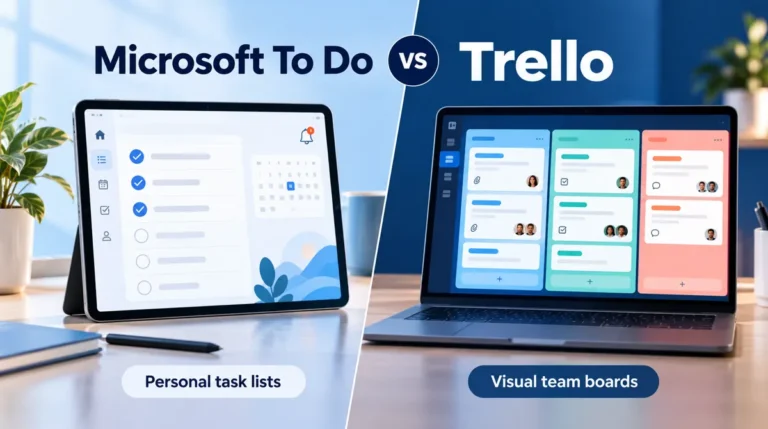
A personal task list and a team project board can overlap without being interchangeable. File synchronization is not automatically a replacement for backup. Define the job before declaring a winner.
WhatsOnTech Comparisons focuses on decisions readers actually face. The useful result is often conditional: one approach suits a simple individual workflow, while another supports a team with shared dependencies. Explaining that difference is more helpful than calling one product the best for everyone.
Build a checklist
Write down the required tasks, the people who need access and any limits you cannot accept. Separate requirements from preferences. A necessary export format belongs near the top; a preferred interface color usually does not.
Use the same checklist for both options. Otherwise one product may be judged on simplicity and another on advanced features. Keep a column for information you could not verify. An honest unknown is better than an assumption that quietly determines the result.
Compare plans
Starting prices can describe very different arrangements. One service may include a single user while another requires several seats. A useful feature may require a higher tier, and annual billing may be more prominent than monthly billing.
Record the plan, billing period, users and relevant limits for each option. Include setup, migration, storage and necessary integrations. The comparison should reflect what you would actually buy. Verify the providers' current terms before committing because prices and features change.
Test both options
Create a small task both products can attempt. For a project tool, add tasks, assign owners, change a deadline and find overdue work. For a file service, upload a sample, share it with appropriate permissions and check recovery or export options.
Do not give one option an easy demonstration and the other a difficult edge case. Record the steps, result and help needed. If the assessment is based on documentation, make that clear. Reading that a feature exists is different from testing its suitability.
Understand trade-offs
A simple tool may be easier to teach but offer fewer controls. A configurable tool may support a complex process while requiring more setup. Neither is automatically good or bad. Explain who benefits and who may find the limitation frustrating.
Consider switching costs as well as subscription costs. Moving records, retraining a team and rebuilding integrations take effort. If an existing tool handles important tasks reliably, a minor advantage elsewhere may not justify migration.
Check feature limits
A check mark can hide restrictions. Ask whether a feature is included on the compared plan, works on your device or needs another paid service. Check broad claims such as unlimited against the provider's terms.
Treat a table as an overview, not the full argument. The text should explain differences that affect a decision. Avoid trusting numerical scores without a stated method. A rating means little if you do not know what was measured.
Run a pilot
Shortlist the option that meets essential requirements, then test a limited workflow. Agree on success criteria and conditions that would stop rollout. Involve the people who will use the tool regularly.
Keep original information available while checking the new process. Review missing records, access problems and training needs before expanding. Write a short decision record: what you tested, what worked and which limits remain. This helps colleagues understand the choice later.
Needs vs extras
Start with the task that prompted the search. A freelance designer sharing files with clients has different needs from an internal team coordinating several projects. Both may want collaboration software, but the word collaboration does not describe a complete requirement.
Write requirements as actions. For example, a client must be able to view one project without seeing other clients. A colleague must be able to export a completed record. These statements are easier to verify than broad labels such as powerful or flexible.
An essential requirement can rule out a tool even when its other features are attractive. Keep that rule visible throughout the comparison. Otherwise a polished demonstration can draw attention away from the reason you started looking.
Use a scorecard
A scorecard can organize a complicated choice. Assign more importance to the tasks that affect daily work. Give less weight to occasional preferences. Agree on the weights before scoring the products so the method does not quietly change to favor an option.
Use a simple scale with defined meanings. For example, a feature might fail the requirement, partly meet it or meet it in the tested workflow. Add a note explaining the result. A total without the notes hides the differences that readers need to understand.
Do not let the total override a critical failure. A tool that lacks a required export format may be unsuitable despite excellent scores elsewhere. The scorecard supports judgment; it does not replace it. Keep untested features marked as unknown instead of awarding them an assumed score.
Calculate annual costs
Begin with the number of people who need paid access. Add required storage, integrations and support. Check whether guests count as paid users and whether a minimum seat purchase applies. Record taxes or currency conversion separately if they affect your budget.
Then estimate setup and training time. A team moving from an existing tool may need to clean records, recreate templates and check imported files. These are real costs even when no vendor charges a migration fee. Keep estimates clearly labeled rather than presenting them as confirmed prices.
Finally, consider growth and exit. What happens if the team doubles, usage rises or you need to cancel? A cheap starting plan can still be good value, but only if its limits match the work. Compare a realistic scenario instead of the smallest advertised number.
Test collaboration
Invite a second person into a sample workspace. Check what they can see and change. Try a normal handover: one person creates work, another updates it and a third needs to understand the current status. This reveals more than inspecting the administrator dashboard alone.
Review notifications too. Too many alerts can hide important updates, while too few can leave work unattended. Look for useful controls and check whether people understand them. A feature called notifications may behave very differently across two products.
For external collaboration, test a guest account with sample information. Confirm that it cannot reach unrelated projects. Do not rely on the owner's view to judge guest permissions. Access that looks restricted from one screen may behave differently when a shared link is opened.
Integrations and exports
A listed integration may support only part of the workflow. One tool might create a new record but not update it later. Another might transfer text without attachments. Confirm the direction, frequency and fields involved before treating two integrations as equivalent.
Try a small export and open it outside the original service. Check dates, labels, attachments and relationships between records. A readable spreadsheet may preserve the main information while losing comments or history. Decide which losses would matter before moving the full workload.
For readers considering a self-hosted alternative, our open-source guide explains the operational responsibilities behind that choice. Comparing control with convenience requires more detail than checking whether both products offer a similar interface.
Freelancer example
Imagine a freelancer who manages a few client projects. This is a fictional example. The essential requirements are deadlines, a clear next action and a simple way to share progress. The freelancer does not need a complex approval system or detailed resource planning.
Option A supports a quick personal workflow but offers limited client views. Option B provides more flexible sharing but takes longer to configure. The right choice depends on whether client access is a regular need. A comparison should explain that condition instead of declaring one universal winner.
The freelancer tests the same sample project in both tools. After checking sharing and export, they record the trade-off they can accept. That short decision record is more useful later than a vague impression that one tool felt more professional.
Spot unfair comparisons
Watch for mismatched plans, different testing conditions and claims that are not supported by evidence. Comparing a free tier against another product's most expensive tier can be useful only when the difference is clearly explained. It should not be presented as a like-for-like contest.
Also separate a vendor claim from an observed result. A product page may state that setup is quick. A reviewer may have completed a specific setup in a measured time. Those are different kinds of evidence. Our software reviews guide explains what to look for in an assessment.
Make a clear decision
A useful verdict names the audience, the requirement that decided the outcome and the main compromise. It should also identify what still needs checking. Readers can then judge whether the same reasoning applies to their situation.
Keep the alternative visible when it suits a different need. If neither product passes essential requirements, say so and widen the shortlist. Choosing between two named options is not always the correct next step. Sometimes keeping an existing system or simplifying the process is the better decision.
Quick reference
| Area | Purpose | What to check |
|---|
| Features | Same tasks and plan | Mark unknowns |
| Cost | Users, setup and extras | Check billing period |
| Exit | Exports and migration | Open a sample export |
Common questions
Is the cheaper option better value?
Not always. Include the work needed to operate, maintain and eventually replace it.
Should every comparison name a winner?
No. Different users can reasonably choose different options.
How often should comparisons be updated?
Revisit material changes to plans, features and the recommendation. A new date alone does not make old information current.
What if two tools have different purposes?
Explain that difference first, then compare only the tasks where their functions overlap.
Explore WhatsOnTech for more practical technology guides.