THE PRACTICAL GUIDEWhatsOnTech Blog
Find your answer
Technology content is easier to use when you begin with a task. Are you choosing a product, comparing two approaches or fixing a problem? Each question calls for a different kind of article. A broad introduction can explain a concept, but a specific tutorial is better for completing a defined action.
The WhatsOnTech Blog brings published articles together in one place. Use the latest posts above to discover new material, or choose a topic from the navigation. The aim is to help you move from an unclear question to a decision you can explain.
Article formats
A guide explains a subject and the decisions around it. A comparison examines differences between options. A review evaluates a particular product using stated evidence. A how-to article walks through a task with a starting point and an expected result.
These formats can overlap, but the distinction matters. A product announcement is not the same as an independent review. A feature description is not proof of hands-on testing. Look for a clear explanation of how the author reached the conclusion and which questions remain unanswered.
Software checklist
When reading about software, keep your workflow in mind. Consider the users, devices, file formats and permissions involved. Check whether the article describes the plan you would actually use rather than a more expensive demonstration account.
Write down the few features you cannot do without. Treat everything else as a preference until you understand its value. This helps you avoid choosing a tool because it has the longest list of capabilities. The best fit is the one that handles the important work reliably within your constraints.
AI expectations
AI tools can assist with drafts, organization and other defined tasks, but their output still needs review. Read articles with attention to the input, the checking process and the information shared with the service.
A dramatic demonstration may not represent everyday performance. Ask whether the example resembles your work and whether mistakes would be easy to detect. Keep current privacy terms and usage limits in view. A tool's popularity does not establish that it is appropriate for a particular task.
Compare your options
After reading a comparison, make a short table of your own requirements. Mark which option meets each requirement and note any facts you still need to verify. This makes the article a starting point for a decision rather than a substitute for one.
Try a limited workflow where practical. Include a task that usually causes difficulty, such as exporting information or handing work to another user. Keep a record of the outcome. A small test often produces more useful information than repeatedly reading broad best-product lists.
Dates and evidence
Software features, interfaces and prices can change. An article's publication or update date provides context, but it does not prove that every statement remains current. Verify details that affect a purchase or an important action.
Pay attention to the difference between an observed result, an official specification and an author's suggestion. All can be useful when labeled clearly. Be cautious with claims of guaranteed results, perfect security or a single product that suits everyone.
Avoid unnecessary tools
Reading about a useful application does not mean you need to install it. First ask whether a tool you already have can solve the problem. Another subscription can introduce training, access and maintenance work.
Keep a short list of problems worth solving and review them in priority order. Choose one change, test it and measure whether it helped. The purpose of reading technology guides is to improve decisions and daily work, not to build the largest collection of accounts.
Everyday tech questions
Many useful technology questions begin with a small frustration. A document appears on one device but not another. A task is buried in chat. A subscription seems inexpensive until more people join. Understanding these situations can help you make better choices without becoming a technical specialist.
Start with the action you want to complete. Searching for a broad product category may produce too many unrelated options. A question about sharing a project with an external client gives you a clearer path through guides, comparisons and support documentation.
The WhatsOnTech Blog connects these everyday questions with practical explanations. Browse the published posts above, then use the topic guides when you need a wider foundation. You do not need to read every category before solving one specific problem.
Software basics
An application is a tool for completing tasks, while an operating system provides the environment in which many applications run. A cloud service depends on infrastructure operated remotely, although it may also provide desktop or mobile applications. These distinctions help explain why a problem may involve more than one component.
Accounts, devices and files are different parts of the same workflow. Signing into an account does not necessarily mean every file is stored locally. Installing an application does not always include a paid subscription. Knowing what each part does helps prevent mistaken assumptions.
Our software guides explain how to choose applications around real requirements. They also cover plan limits, setup, export and maintenance. Use them when a product search feels broad and you need a manageable checklist.
Storage, sync and backup
Cloud storage gives you a place to keep information on a provider's systems. Synchronization aims to keep selected information aligned between locations. Backup is intended to support recovery. A single product may combine these functions, but the terms should not be treated as interchangeable.
For example, a deletion may synchronize across devices. Recovery might still be possible through version history or another feature, but that depends on the service and its limits. Check the actual recovery options rather than assuming another device always holds an untouched copy.
When reading about file services, ask where information lives, what changes propagate and how mistakes can be reversed. These questions are useful whether you manage personal photographs, shared documents or business records.
Tasks and teamwork
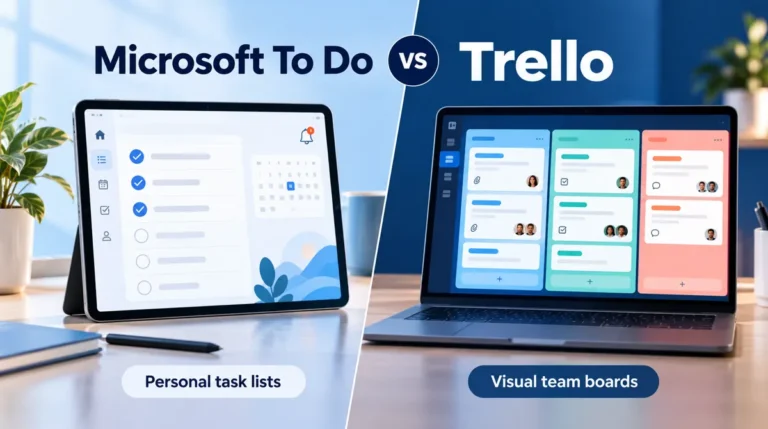
A personal task list helps an individual remember and prioritize work. A shared project system also needs to communicate ownership, deadlines and dependencies. The same feature can serve both settings, but the surrounding requirements differ.
Before choosing a productivity tool, decide whether the main issue is remembering work, agreeing priorities or handing tasks between people. More labels and dashboards will not necessarily solve an unclear responsibility. Sometimes a simpler process improves the existing tool.
Compare the amount of maintenance the system requires. A detailed board that nobody updates can become misleading. A smaller record that the team keeps current may provide more useful information.
AI without the hype
An AI demonstration can be impressive while leaving practical questions unanswered. What information did the tool receive? How many attempts were needed? Who checked the result? Would the method work with your own material and privacy requirements?
Our AI tools guide focuses on those questions. It explains how to define a task, review outputs and evaluate the complete effort involved. The aim is to help readers decide where assistance is useful and where another method is more reliable.
Treat generated answers as material to assess rather than evidence by themselves. Important facts need support, and actions that affect other people need appropriate control. A useful workflow includes both the tool and the person responsible for its result.
Open source and ownership
Open-source software can provide rights to inspect, modify and share code under its licence. That does not mean every deployment is free of cost or maintenance. Hosting, support and staff time can still be important.
When a service offers an open-source alternative, ask what you would actually operate yourself. A managed account and a self-hosted installation can involve very different responsibilities. Compare the complete arrangement rather than treating control as an automatic advantage.
Digital ownership also includes practical access to your information. Check whether you can export records in a usable form and transfer account administration when needed. Those questions matter for both open-source and proprietary products.
Check technology claims
Words such as fastest, safest and best need context. Ask what was measured, who the intended user is and which alternatives were considered. A claim can be accurate for one limited situation without applying to everyone.
Separate official specifications from independent observations and suggestions. A provider's documentation can establish a stated feature. A clearly described test can show what happened in one environment. An author's recommendation adds judgment that should be explained.
Avoid treating popularity as proof of suitability. A widely used application may still lack the permission setting, export format or offline behavior you need. Your requirements remain important even when a product has many enthusiastic users.
Try a small project
Choose one recurring problem and write down the desired result. Read enough to understand the main options, then test a limited change using sample information. Keep the scope small enough that you can inspect what happened.
For example, you might organize a sample shared folder, compare two ways of tracking tasks or test a document export. Record the steps, result and any limitation. This turns reading into a concrete improvement without requiring a complete overhaul of your tools.
If the change does not help, keep the finding. Knowing that an approach does not fit your situation is useful information. Avoid buying more software simply to justify the time already spent researching it.
Choose your next read
The most useful next article depends on what you now know. After an introduction, you may need a comparison. After choosing a product, you may need a setup guide. After using it for a while, you may need troubleshooting or migration advice.
Use the category navigation to follow that progression. Keep notes on the unresolved question rather than reading endlessly without a decision. Technology content is doing its job when it helps you understand a trade-off, complete a task or avoid an unnecessary purchase.
Quick reference
| Area | Purpose | What to check |
|---|
| Guide | Understand a topic | Start with your question |
| Comparison | Choose between options | Use the same requirements |
| Tutorial | Complete a task | Verify the outcome |
Common questions
Where should a new reader start?
Choose the question you need to answer: understand, compare, choose or fix. Then select the matching topic.
Does every article recommend a product?
No. Some explain concepts or help readers avoid unnecessary purchases.
How should I use an older guide?
Check the parts affected by changing versions, plans and interfaces before following the instructions.
Can I suggest a topic?
Yes. Use the Contact page linked in the footer and explain the question you would like an article to answer.
Explore WhatsOnTech for more practical technology guides.